
Release date:
New Features
Configurable chasing of Disputed Invoices
To support multiple scenarios where Dispute records are being used, it is now possible to determine the impact Disputes have to the collection process.
Dispute Categories may now be configured with the following:
|
Setting |
Behaviour |
|---|---|
|
Chase |
Despite having an open dispute, TaskCollect will continue with the Collection Procedure and chase the customer for payment. |
|
Exclude |
TaskCollect will continue with the Collection Procedure and chase the customer for payment or non-disputed invoices; however any invoices with an open Dispute, having a Dispute Category set to “Exclude” will be omitted from the chaser emails. |
|
Pause |
Whilst one or more Invoices are subject to a Dispute, having a Dispute Category set to “Pause”, the Collection Procedure will not continue, until that Dispute is resolved. |
Improvements to Existing Features
Email templates can access disputed invoices information
Email templates now have access to an additional array of disputed invoices. In addition to the array “invoices.selected”, the “invoices” object now has the additional “invoices.disputed” array.
In combination with the “Exclude” setting when configuring Dispute Categories, this disputed invoices array can be used to create sophisticated email templates that communication to the customer details relating to the invoices being chased, as well as a reminder to those that are subject to a dispute.
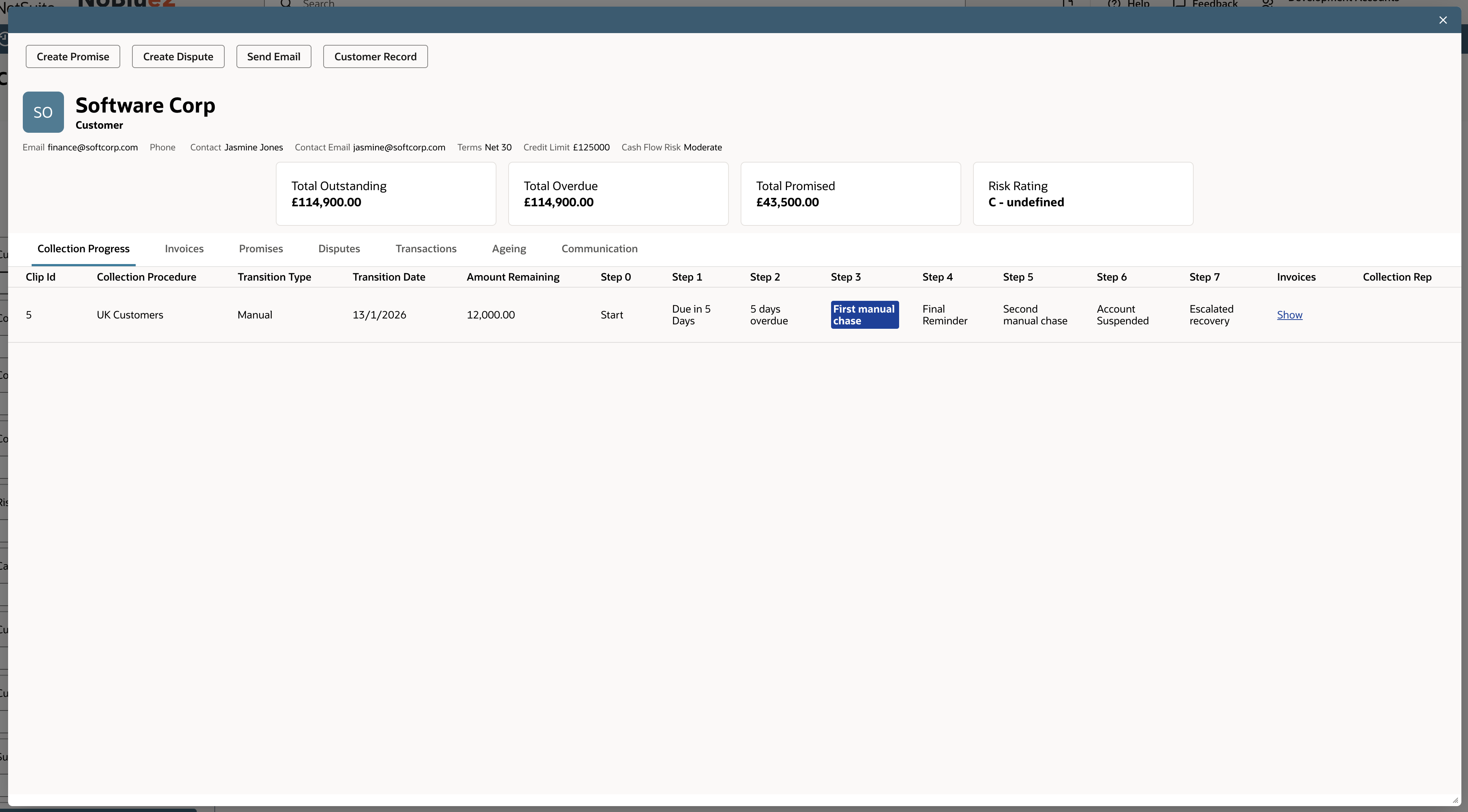
Customer Workbench Detail Popup - Collection Procedure Status
A new Collection Progress subtab is available on the Customer Workbench Detail popup; this give a clear visual indication of where in the collection procedure, each batch of invoices is for the selected customer.
Bug Fixes
-
[509] Cash flow risk rating AI annotation popup displays error mesage
-
[558] Customer workbench detail popup error
-
[567] Missing received emails in the task workbench
-
[571] Task workbench detail popup missing emails